Learn · Updated September 2026
How to Create a Binance API Key for a Trading Bot
A bot does not log into Binance like you do. It uses an API key: a pair of strings that can read the account and place orders. The useful key is trade-only — it cannot withdraw. Here is the setup on Binance.com, in the browser and in the app.
What the key is for
Reading lets the bot see balances and open orders. Trading lets it place and cancel orders. Withdrawal lets someone send coins off the exchange. A trading bot never needs that last one. If a site or Telegram “helper” asks you to enable withdrawals, stop.
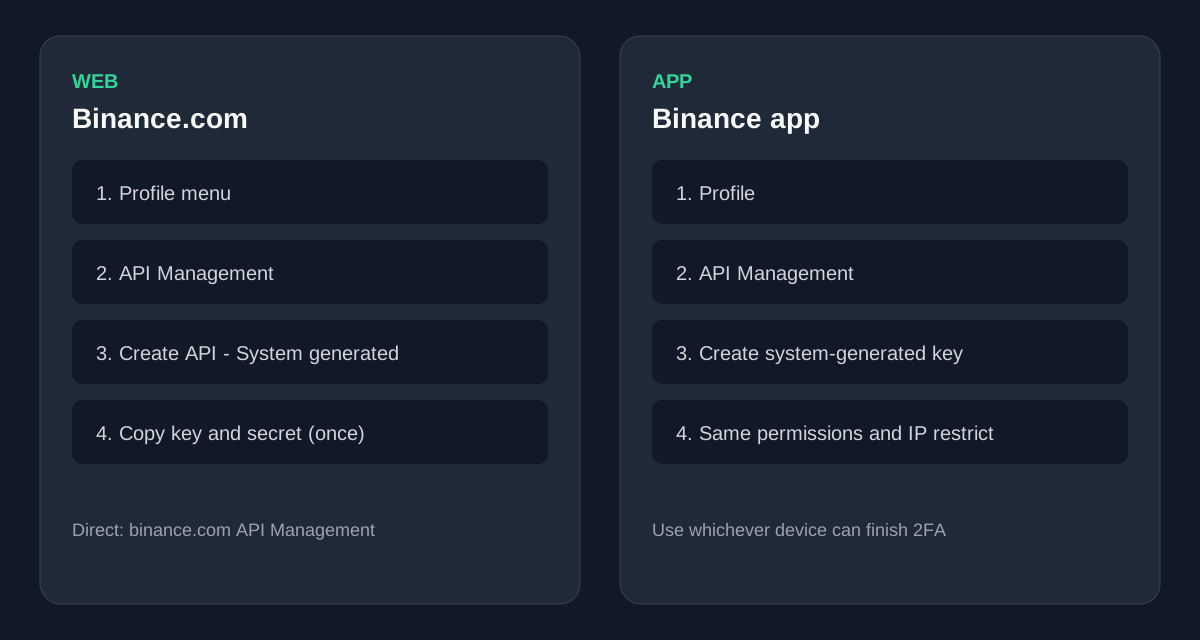
Web: Binance.com
- Log in at API Management.
- Create API → System generated. Name it for one product (for example “Tradeeon”).
- Finish the email and authenticator prompts.
- Copy the API key and the secret. The secret is shown once.
App: same key, different menu
People searching “API key Binance app” want this path: open the Binance app → Profile → API Management → create a system-generated key. Permissions and IP restrict are the same as on the website. Create the key on whichever device you can complete 2FA on; you can paste it into the bot from either.
Permissions that are safe
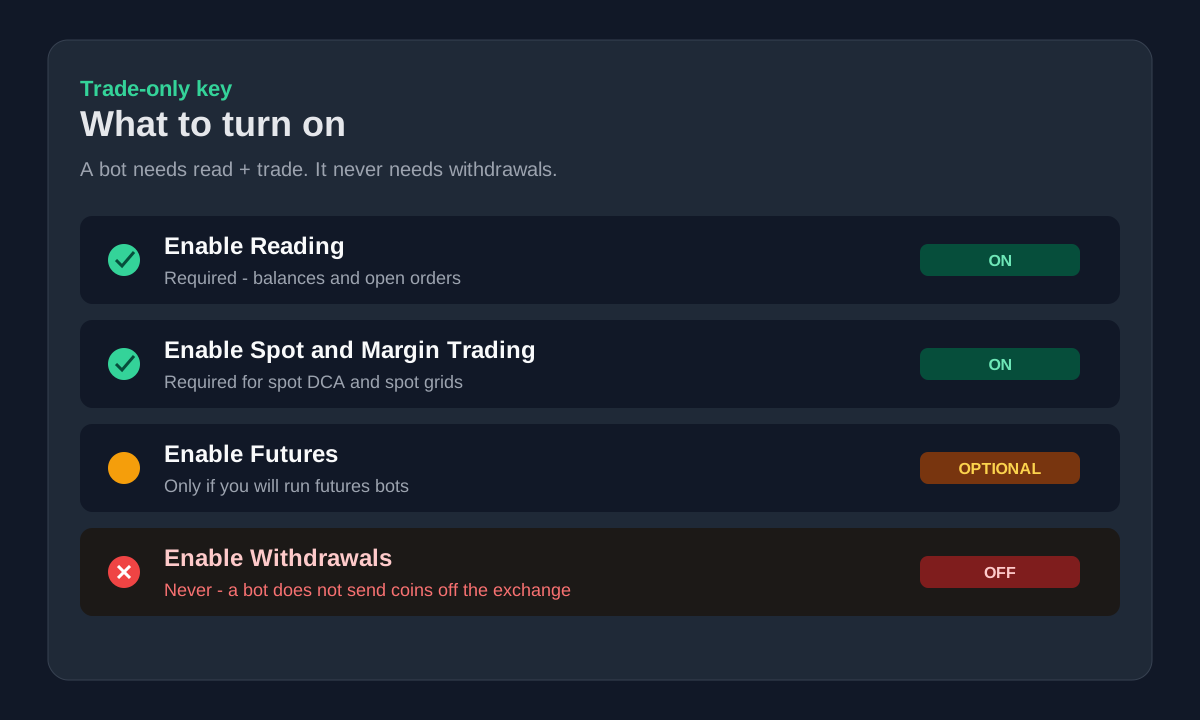
- Enable Reading — required
- Enable Spot & Margin Trading — required for spot DCA and spot grids
- Enable Futures — only if you will run futures bots (Adaptive Grid / hedge). Leave it off for spot-only.
- Enable Withdrawals — never
Restrict the IP
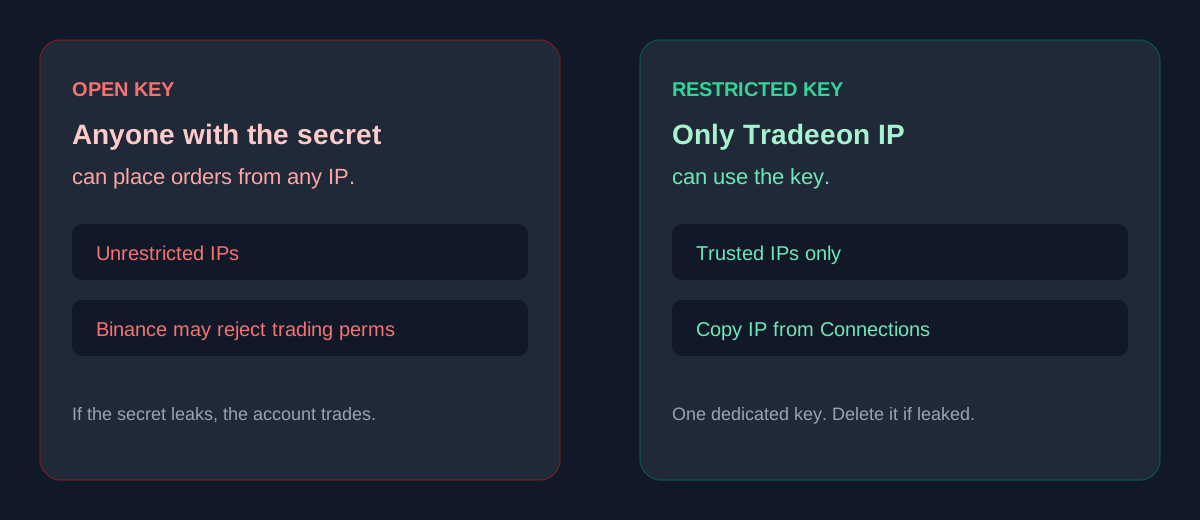
Binance often refuses a trading key that is open to the whole internet. Under IP access restrictions, allow only the bot host. After you sign up, Tradeeon shows the IP to paste on the Connections page. One dedicated key per product. If the secret leaks, delete the key on Binance and make a new one.
Binance.com, not Binance.US
These are different exchanges and different keys. Tradeeon only connects to Binance.com. A Binance.US key will fail.
Then connect and paper first
Paste the key into Tradeeon Connections. Run the bot on paper — same rules, live Binance prices, no real fills — before you turn it live. One live DCA is included after signup.
If you open Binance from this link we may receive a referral fee.
FAQ
- What permissions does a Binance API key need for a trading bot?
- Enable Reading and Spot & Margin Trading for spot bots. Enable Futures only if you will run futures bots. Never enable Withdrawals. A bot does not need to send coins off the exchange.
- Can I create a Binance API key in the app?
- Yes. In the Binance app open Profile → API Management, create a system-generated key, set the same permissions, and restrict IPs. The secret is shown once — copy it before you leave the screen.
- Why does Binance ask for an IP whitelist?
- Trading permissions on an open key are easy to abuse if the secret leaks. Restricting the key to the bot host’s IP means only that server can place orders. Tradeeon shows the IP to whitelist on the Connections page after you sign up.
- Does Tradeeon work with Binance.US?
- No. Tradeeon connects to Binance.com only. A Binance.US key will not work.
Related: Paper trading crypto · Crypto trading bot development · Security · Our bots
Not affiliated with Binance. Confirm live API screens in your own account. Not financial advice.